Three steps, and it's in the diary
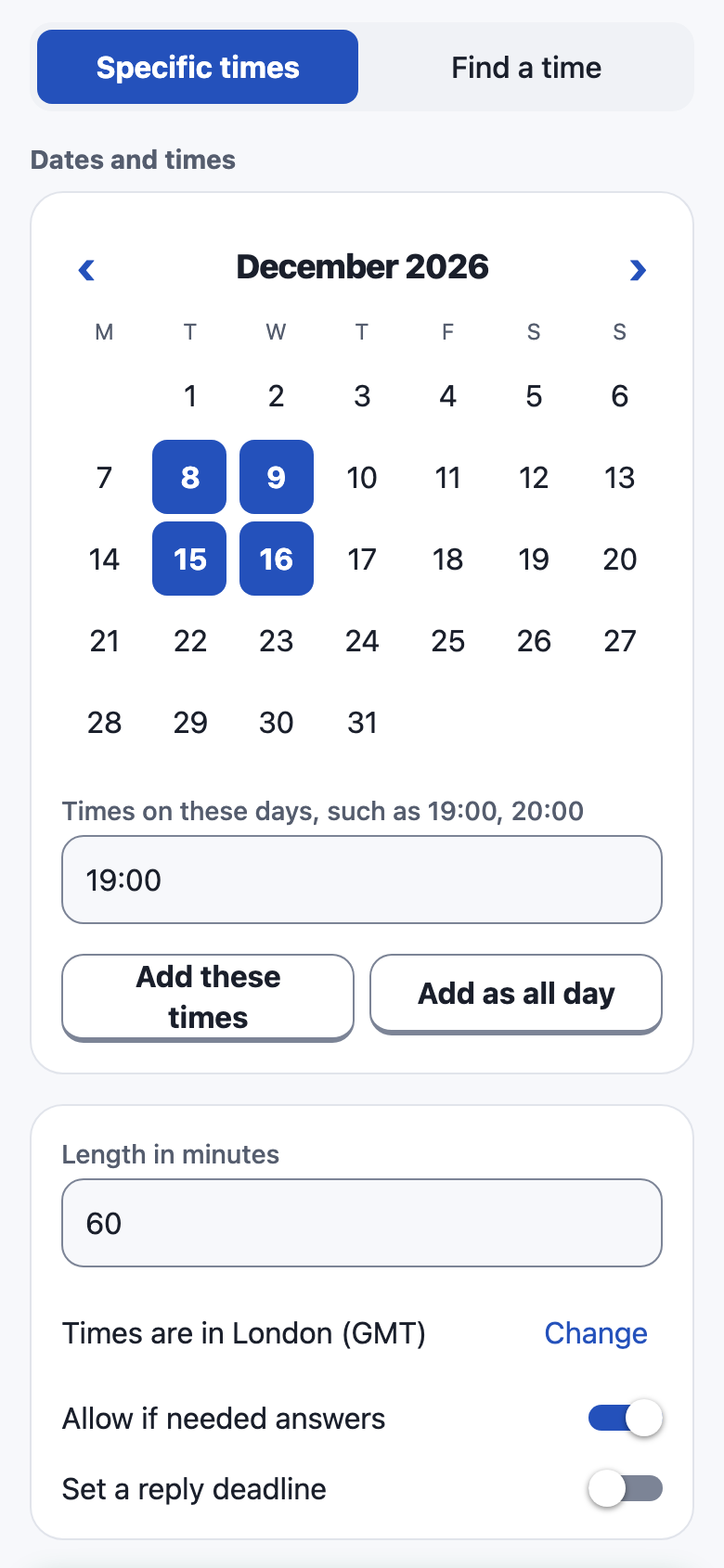
Pick some times
Tap the dates and times you could do, or give a range and let everyone paint when they're free.
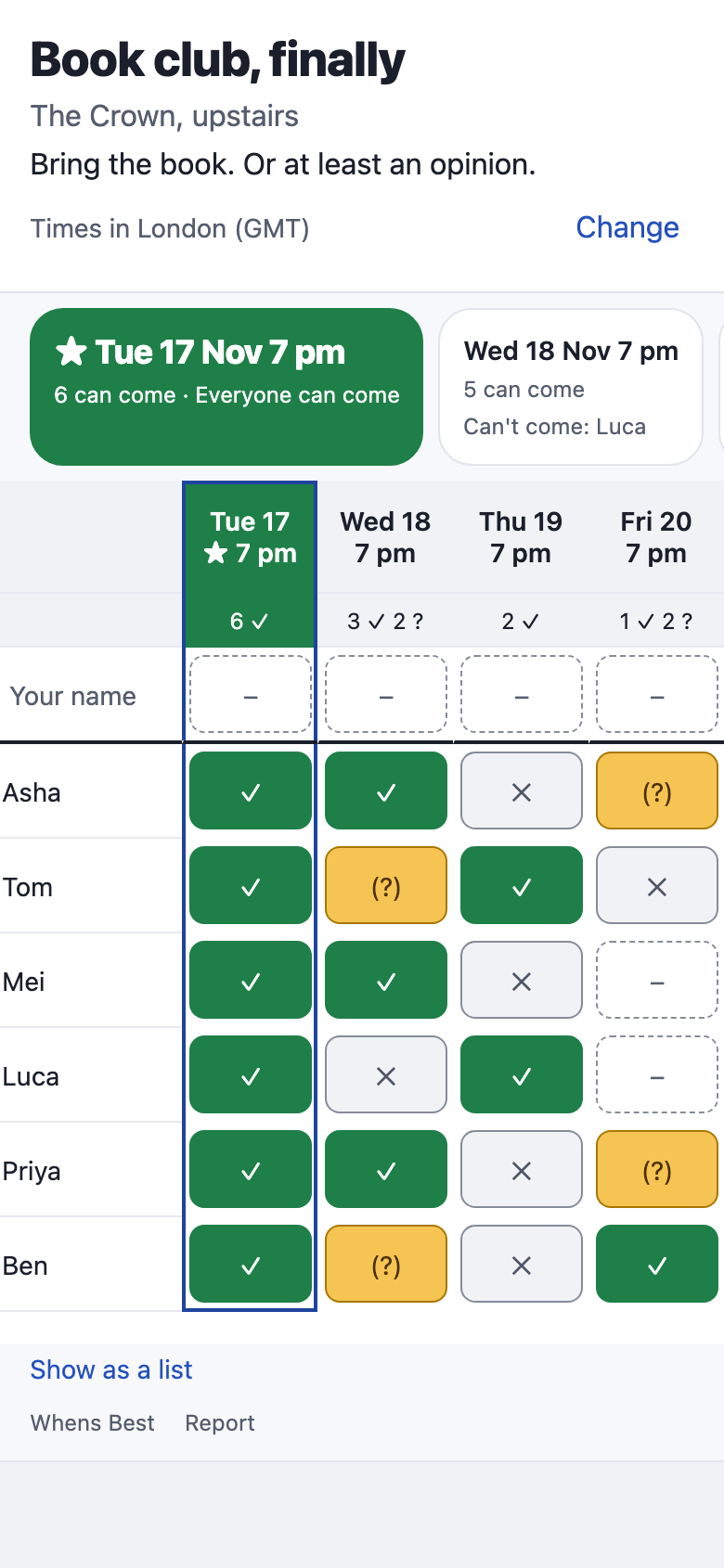
Share one link
Everyone taps yes, if needed or no on one simple grid, in the browser. No app, no account and no email.
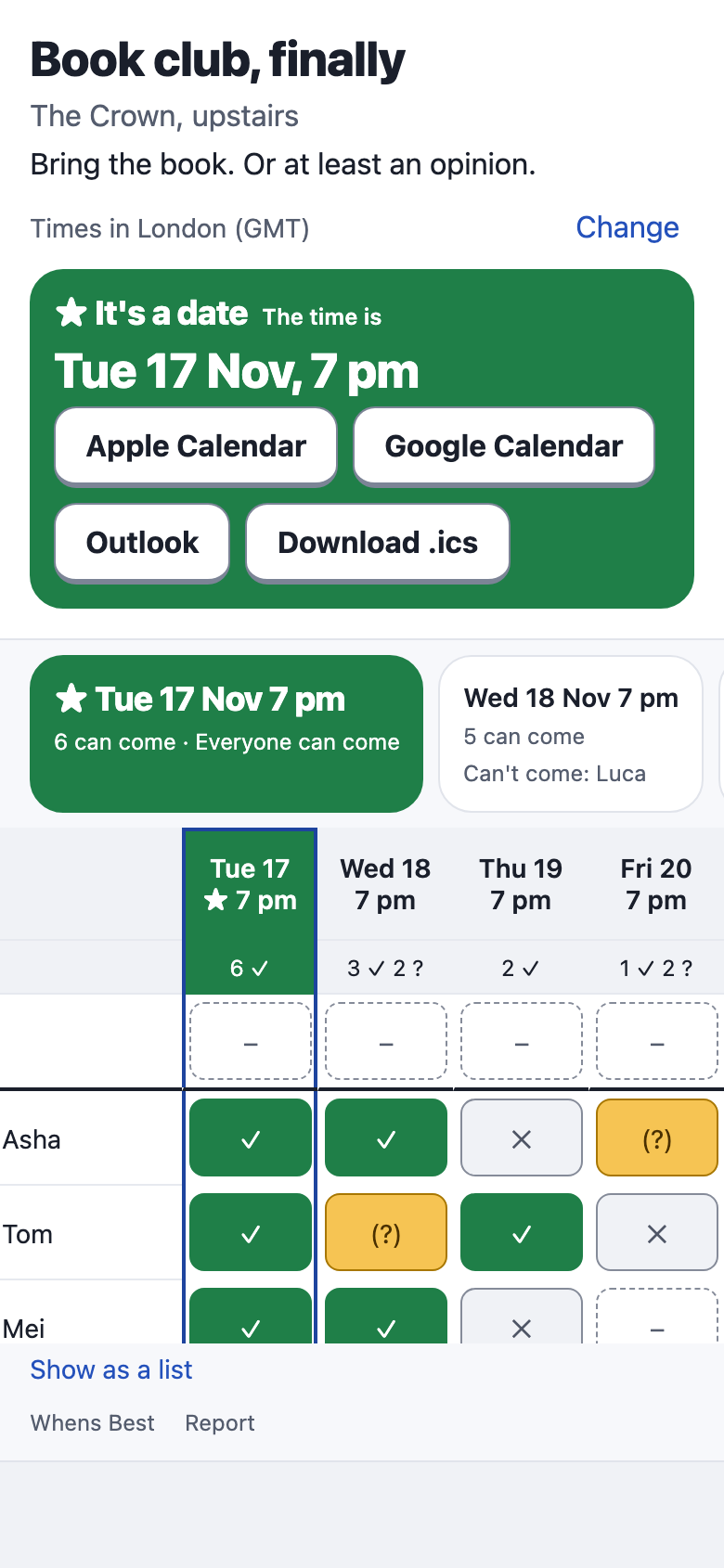
Pick the winner
The best times are ranked as answers come in. Choose one, and everyone can add it to their calendar.
Made for real groups
Nothing for guests to set up
One link, in any browser. Guests only type a name.
A grid built for thumbs
One tap changes one answer, there's nothing to save, and nothing gets lost.
Everyone's own time zone
Each person sees times in their own zone, labelled, so nobody turns up an hour early.
Live as people answer
The grid and the best times update while it's open.
Straight into calendars
Apple, Google, Outlook or a calendar file, once the time is picked.
Your calendar stays on your phone
The apps can shade your busy times on your own row. They're read on your device and never uploaded.
Sign-in only if you want it
Creating and answering never need an account. Signing in needs only your email, and lets you theme a page.
One advert, out of the way
Free, with one banner well clear of your answers. A one-off purchase removes it.
For any group
Friends, clubs, families and work teams: dinners, practices, meetings and everything else.
Stop the twenty-message thread.
Whens Best isn't open to the public just yet. Drop us a line and we'll tell you when it is.
Tell me when it's ready